
Check that the lane powers on and completes a full test transaction. Then confirm the POS software is current and the lane connects to the back office. Test the scanner, scale, card reader, and receipt printer, and make sure price files have loaded.
Yes. Run each self-checkout unit through a full transaction: scan, bag, pay, and receipt. Add a coupon and an age-restricted item. Units that sit idle most of the year are the most likely to have a problem, so test them as carefully as the ones you use every day.
Imagine it’s the Saturday before the holidays. Your store is packed, checkout lines are growing, customers are trying to get through their shopping lists, and suddenly a checkout lane goes down. Then another. A payment terminal stops responding, a self-checkout unit won’t process transactions, and your team is scrambling to keep things moving.
During the busiest shopping days of the year, even a small technology issue can quickly turn into a major operational headache. Longer lines, frustrated customers, added pressure on employees, and lost sales are all potential consequences of hardware that isn’t ready for peak traffic.
While holiday planning often focuses on inventory, staffing, and promotions, the technology keeping your store running deserves just as much attention. Your POS hardware is at the center of every transaction, and when it doesn’t work, the entire checkout experience can suffer.
Before the holiday rush begins, work through these five essential hardware and POS readiness checks to help keep your store running smoothly when it matters most.
Don’t assume every checkout lane is ready just because your busiest registers are working. Power on every lane, including those you rarely use, and run a complete test transaction on each one.
Idle lanes are often the most likely to have outdated software, loose connections, or hardware issues that have gone unnoticed.
Check that:
Finding out Lane 7 won’t boot during a Saturday afternoon rush is a problem you can avoid with a little preparation.
POS holiday readiness goes beyond the physical hardware. Your checkout lanes need to communicate with the rest of your store and have access to accurate, up-to-date information.
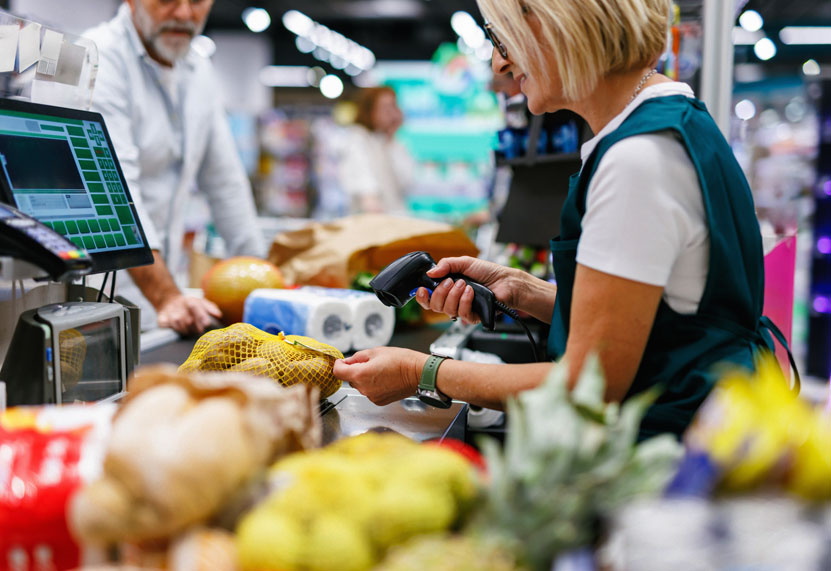
Before peak traffic arrives, verify that every lane is running the current POS version. Then check connectivity: each lane needs to communicate properly with the back office. If the price file isn’t loading, you’ll see major problems at the register. Pricing errors are the fastest way to frustrate a customer, and a busy weekend is the worst time to find out. Finally, test your scanners and scales. Weigh produce on every scale to catch weights and measures issues. For scanner-scales, confirm each one is connected to the correct base and reads every barcode type you carry.
Complete these checks well before you need every lane operating at full capacity. A small issue discovered on Tuesday is much easier to address than one discovered on a Saturday.
Self-checkout can be especially valuable during busy shopping periods. Helping to move customers through the front end and reduce pressure on staffed lanes. But only if every unit is working properly.
Test each self-checkout terminal as if you were a customer completing a regular shopping trip. Scan multiple items, place items in the bagging area, complete a payment, print a receipt, test a coupon, and process an age-restricted item.
Payment delays and printer issues can quickly slow down checkout, especially when transaction volume increases.
Take the time to test every PIN pad and receipt printer across your store. Test tap, chip, and swipe transactions on every payment terminal, and print a test receipt from every checkout lane.
Holiday traffic can burn through receipt paper quickly. Having extra supplies readily available is a simple way to prevent an avoidable interruption.
Even with the best preparation, technology issues can happen. What matters is how quickly your team can respond and keep operations moving.
Make sure your front-end team knows what to do if a lane or device goes offline.
Having a clear plan in place helps prevent a single hardware issue from becoming a store-wide disruption.
The holiday season puts every part of your grocery operation to the test. Your team, inventory, checkout processes, and technology all need to work together to deliver the experience customers expect.
Taking time to test your hardware and review your POS readiness now can help prevent unnecessary disruptions when your store is at its busiest.
And if something doesn’t pass the checklist, don’t wait until the rush to address it. Connect with your POS support team and get ahead of the issue.